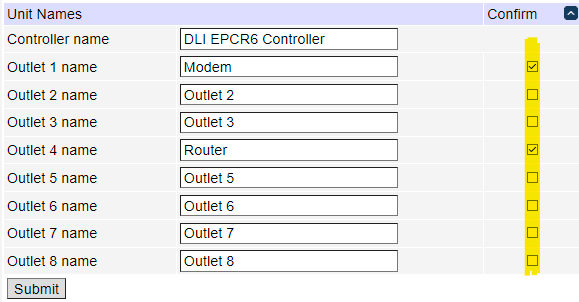
Confirm / Critical Checkbox
The confirm or critical button is a User Interface feature which forces a web user to confirm requests before outlets are switched off.
This may prevent a user from accidentally powering down an important piece of equipment with a single mouse click.
On the setup page, each outlet has a "confirm" or "critical" checkbox located to the right of the outlet name. Checking this box enables confirmation. A dialog box will appear after OFF, or CYCLE is pressed for this outlet.
Note: The administrator may also create user logins who have restricted access to certain outlets.